Google Drive Direct Link Generator This tool allows you to generate a direct download link to files you have stored in Google Drive. A direct link will immediately start downloading the file, rather than opening a preview of the file in Google Drive.
Notes:
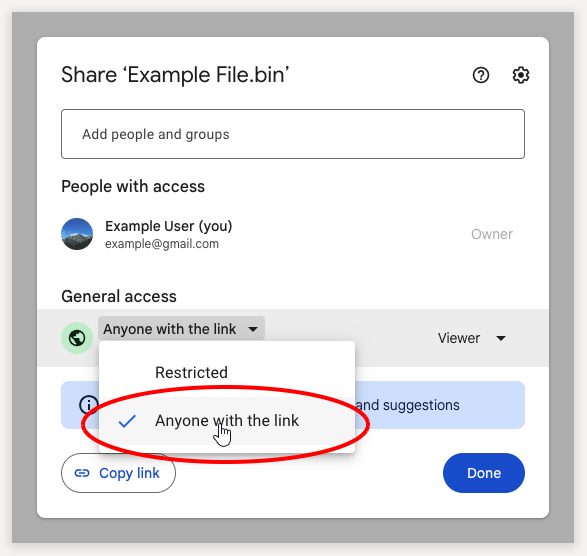
Make sure your file's visibility in Google Drive is set to Anyone with the link. If it's set to Restricted then only people who are logged in to Google and have been granted access to the file will be able to open the direct link (which probably isn't what you want).
This only works for uploaded files, not documents created in Google Docs/Sheets/Slides.
If your file is very large, the direct link may first open a page saying that the file is too large for Google to scan for viruses. That page will have a button to download the file.
How to Get Your Sharing URL?
Step: 1
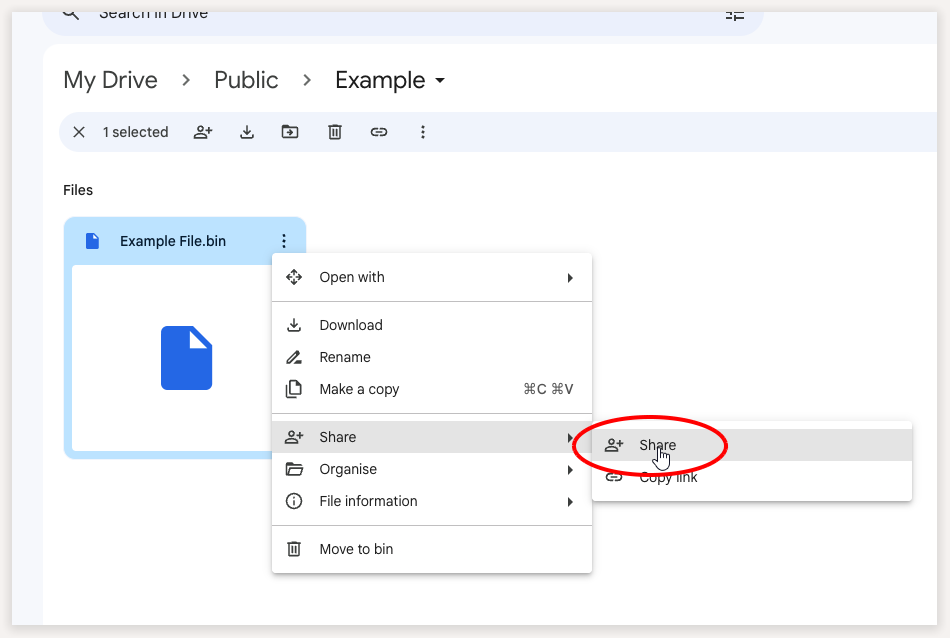
Go to Google Drive and right click the file that you want to share, then click on Share
Step: 2
In the window that comes up, change the access to Anyone with the link
Step: 3
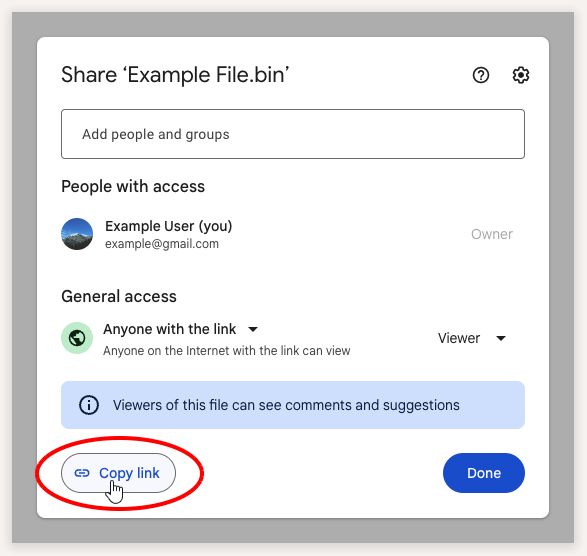
Click Copy link, Paste that link into the text box above and click Create Direct Link to create your link.