DNS Configuration in Windows

What is DNS?

The Domain Name System (DNS) is a critical internet service that translates user-friendly domain names (like “PingTamizha.com”) into IP addresses (such as “104.18.189.55”). Without DNS, browsing the web would be a nightmare because we’d have to remember complex IP addresses for every site we visit. Thankfully, DNS servers handle this translation behind the scenes, allowing us to use domain names effortlessly.

DNS

Why Change DNS Settings?

While your Internet Service Provider (ISP) provides default DNS servers, they might not be the fastest or most private. You can improve your internet experience by using third-party DNS resolvers.

How to Configure the DNS?

STEP 1 : Download the configuration bat file, from our website (100% Risk FREE) (Password : 123)

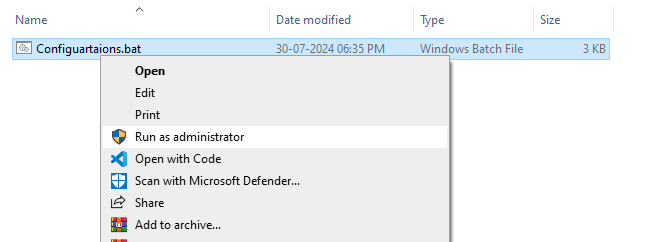
STEP 2 : Unzip and Run as Administrator

DNS

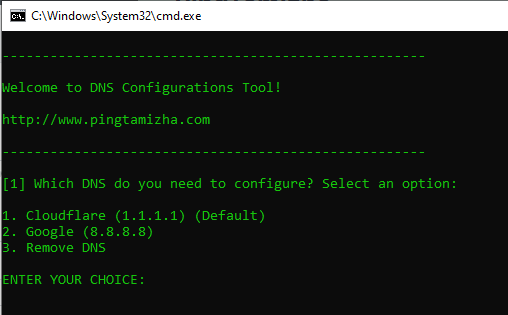
STEP 3 : Select the Options, Which DNS need to Configure? ( Remove options for delete all DNS configurations from your system )

DNS

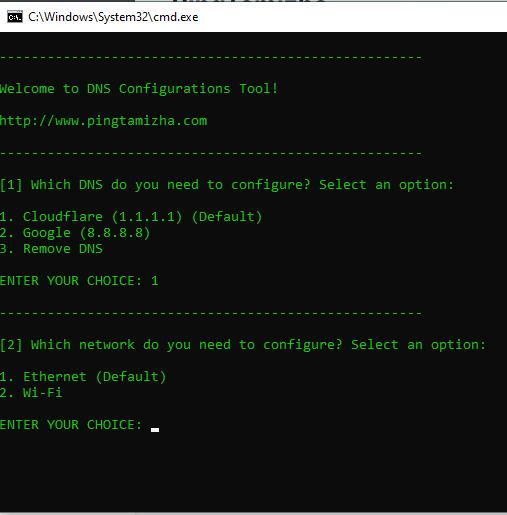
STEP 4 : Select the Options, Which one need to configure? Ethernet or Wi-Fi

DNS

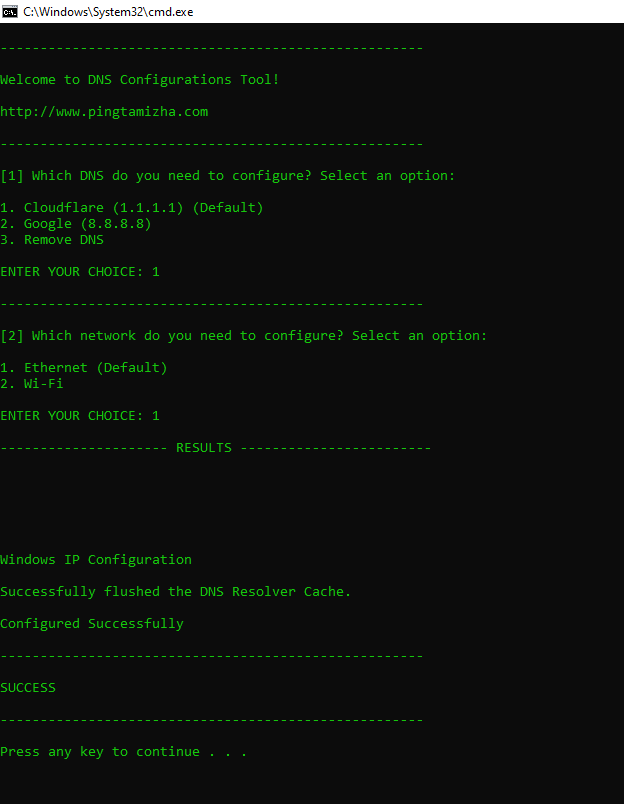
Successfully Configured your DNS in your System!

DNS